
Ai Meme Factory
git clone https://github.com/wpank/ai
T=$(mktemp -d) && git clone --depth=1 https://github.com/wpank/ai "$T" && mkdir -p ~/.claude/skills && cp -r "$T/skills/tools/meme-factory" ~/.claude/skills/wpank-ai-meme-factory && rm -rf "$T"
skills/tools/meme-factory/SKILL.mdMeme Factory
Generate memes using the free memegen.link API and textual Markdown meme formats. No API key required.
Installation
OpenClaw / Moltbot / Clawbot
npx clawhub@latest install meme-factory
NEVER Do
- Use spaces in meme URLs without encoding them as
or_- - Assume a template exists without checking the templates list
- Write more than 2-6 words per line (text becomes unreadable)
- Use the wrong template for the context (e.g., "success" template for failures)
- Omit the file extension in URLs (
,.png
, etc.).jpg - Forget to encode special characters (
→?
,~q
→/
,~s
→%
,~p
→#
)~h
Quick Start
URL Structure
https://api.memegen.link/images/{template}/{top_text}/{bottom_text}.{ext}
Example:
https://api.memegen.link/images/buzz/bugs/bugs_everywhere.png
Text Encoding
| Character | Encoding |
|---|---|
| Space | |
| Newline | |
| Question mark | |
| Percent | |
| Slash | |
| Hash | |
| Single quote | |
| Double quote | |
Popular Templates
| Template | Use Case | When To Use |
|---|---|---|
| Comparing options | Rejecting one thing, approving another |
| Ubiquitous things | "X, X everywhere" |
| Celebrating wins | Positive outcomes |
| Problems ignored | Ironic "everything is fine" |
| Uncertainty | "Not sure if X or Y" |
| Hot takes | Stating an opinion confidently |
| Priorities | Being distracted by something new |
| Bad ideas | "One does not simply..." |
| Rare occurrences | "I don't always X, but when I do..." |
| Meta/recursive | "Yo dawg, I heard you like X" |
Full list: https://api.memegen.link/templates/
Contextual Template Selection
| Context | Template | Why |
|---|---|---|
| Comparing options | | Two-panel reject/approve format |
| Celebrating wins | | Positive outcome emphasis |
| Problems ignored | | Ironic calm amid chaos |
| Uncertainty | | "Not sure if X or Y" format |
| Controversial opinion | | Statement + challenge |
| Ubiquitous things | | "X, X everywhere" |
| Bad ideas | | "One does not simply..." |
Image Options
Formats
| Extension | Use Case |
|---|---|
| Best quality (default) |
| Smaller file size |
| Modern, good compression |
| Animated templates |
Dimensions by Platform
| Platform | Dimensions | Usage |
|---|---|---|
| Social media / Open Graph | | Twitter, LinkedIn, Facebook |
| Slack / Discord | | Chat platforms |
| GitHub | Default | PRs, issues, README |
Layout Options
?layout=top       # Text at top only
?layout=bottom    # Text at bottom only
?layout=default   # Standard top/bottom
Textual Meme Formats (Markdown)
Beyond image memes, create text-based memes directly in Markdown:
- Greentext — Code fence with
prefixed lines for anon-culture narratives> - Copypasta — Dramatic walls of text in code fences
- Shitpost poetry — Hard line breaks for comedic timing
- ASCII art — Monospaced art in code fences
- Tumblr chains — Nested blockquotes for multi-speaker escalation
- Twitter/X style — Short blockquote micro-memes
- Reddit AITA/TIFU — Heading + paragraphs narrative memes
- Wojak dialogues — Bold names + minimal dialogue
- Discord chat logs — Code fence with timestamps
- Corporate satire — Lists + bold labels for fake official notices
- Fake wiki/manual pages — Technical jargon for mundane objects
Full guide with examples: references/markdown-memes-guide.md
Validation Checklist
After generating a meme:
- URL returns valid image (test with
)curl -I - Text is readable (not too long)
- Template matches the message context
- Special characters properly encoded
- Dimensions appropriate for target platform
Embedding in Markdown
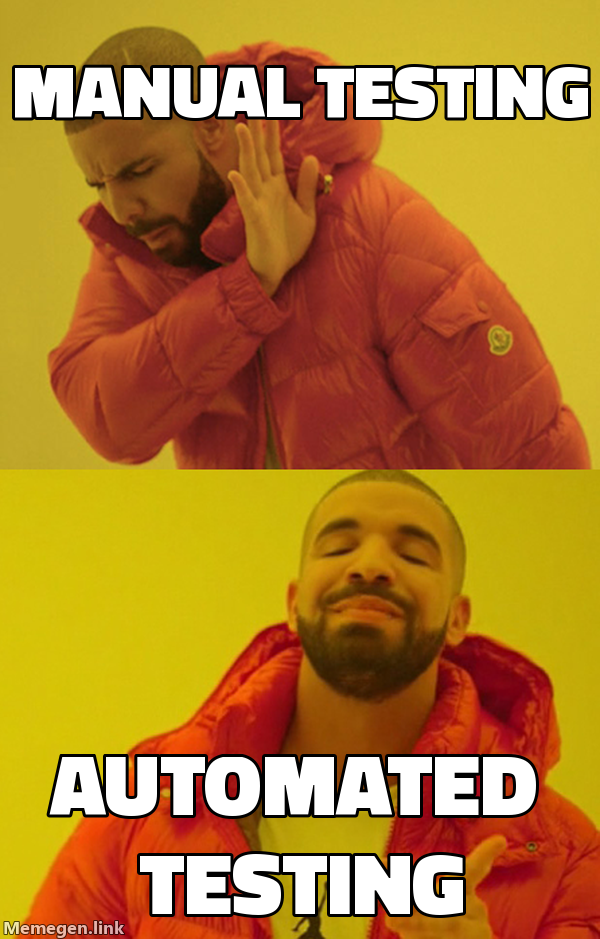
Always provide descriptive alt text for accessibility:
- Good:
![Drake rejecting manual testing, approving automated testing] - Bad:
![funny meme]
Custom Backgrounds
Use any image as a meme background with the
customhttps://api.memegen.link/images/custom/top_text/bottom_text.png?style=https://example.com/image.jpg
Pair screenshots of apps, dashboards, or charts as backgrounds for contextual humor.
Mixing Text + Image Memes
For blog posts and documentation, alternate between formats for pacing:
- Start with text (greentext/chat log) to set up context
- Follow with image to amplify the punchline
- Close with text (corporate satire/poetry) for resolution
Good patterns: Greentext → Image → Corporate satire, Chat log → Image → Shitpost poetry
Avoid: 5 images in a row (visual fatigue), 3 long copypastas back-to-back (reader exhaustion)
API Reference
| Endpoint | Purpose |
|---|---|
| List all available templates |
| Template details and example |
| Available fonts |
| Generate meme image |
API characteristics: Free, open-source, no API key, no rate limiting, stateless, images generated on-demand.
Python Helper Script
from meme_generator import MemeGenerator

meme = MemeGenerator()

# Generate a basic meme URL
url = meme.generate("buzz", "features", "features everywhere")

# With custom dimensions for social media
url = meme.generate("drake", "old way", "new way", width=1200, height=630)

# Get markdown for embedding
md = meme.get_markdown_image(url, alt_text="Comparison Meme")

# Suggest template based on context
template = meme.suggest_template_for_context("deployment success")
References
| File | Content |
|---|---|
| references/markdown-memes-guide.md | 15+ textual meme formats with examples and production tips |
| references/examples.md | Practical usage examples, integrations (Slack, GitHub, Discord) |
Scripts
| Script | Purpose |
|---|---|
| scripts/meme_generator.py | Python helper for programmatic meme generation with 20+ templates |